Inviting a contractor onto SynkroTech Trade
What you'll end up with: a firm on SynkroTech Trade, SynkroTech's app for contractors, so the jobs you send arrive in their app with the access details, and their replies, photographs, reports and invoices come back to the work order.
Before you start you need: the firm on your contractor panel with an email address (see Adding a contractor to your approved list).
A firm that is not on SynkroTech Trade gets nothing from SynkroTech: every job has to be phoned or emailed, and nothing they do comes back to the record. Inviting them once saves that on every job after. It works whether or not the firm has a SynkroTech Trade account yet, and whether or not SynkroTech has vetted it.
- Go to Contacts → Contractors and open the firm.
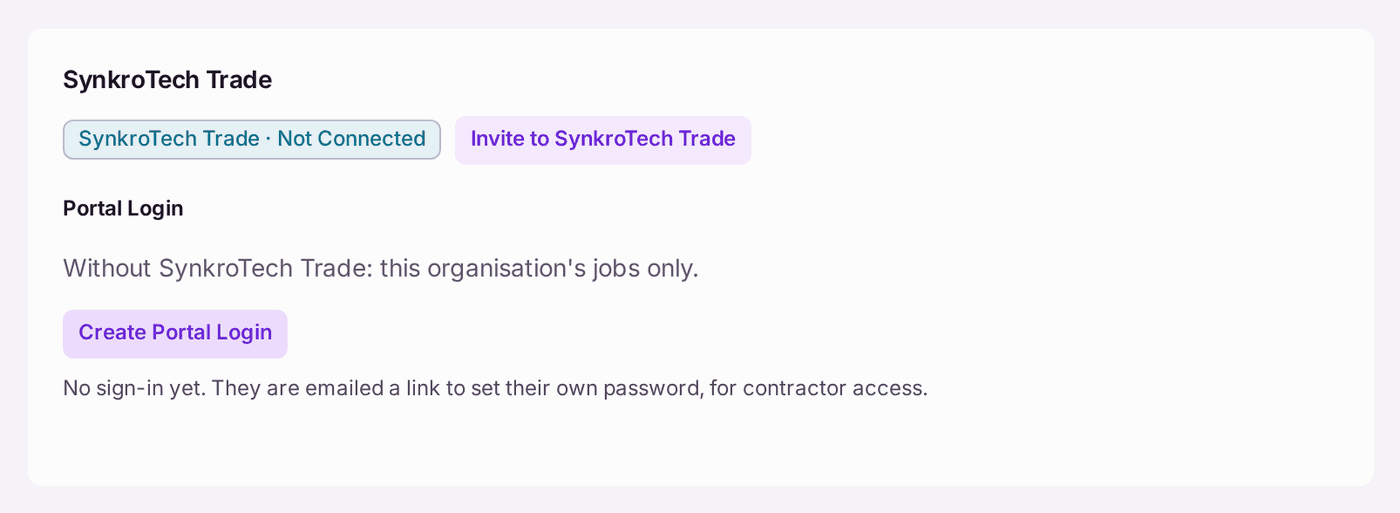
- In the SynkroTech Trade card, press Invite to SynkroTech Trade.
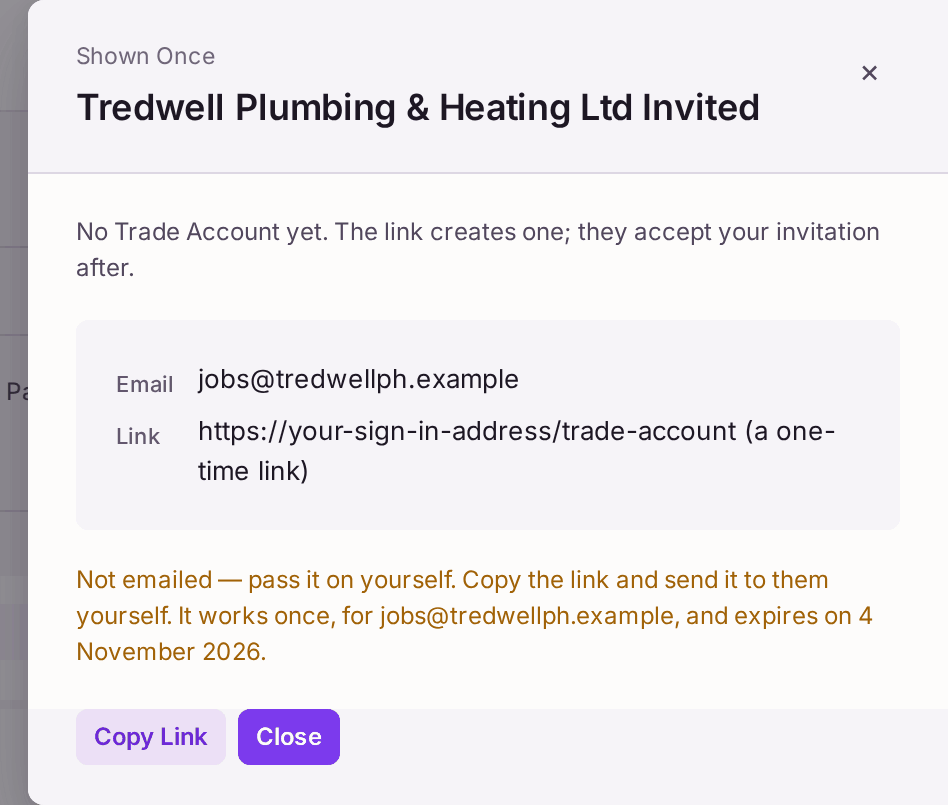
- If the firm has no SynkroTech Trade account yet, the link is shown once. Press Copy Link and send it to the firm yourself, by email. It is not emailed by SynkroTech.
- Press Close.
The link works once, for the email address shown, and runs out after two weeks. The firm uses it to create their account, then accepts your invitation. A firm that already has an account (including one that signed itself up) is not sent a link: your invitation waits in its account, and the page says "asked to connect".
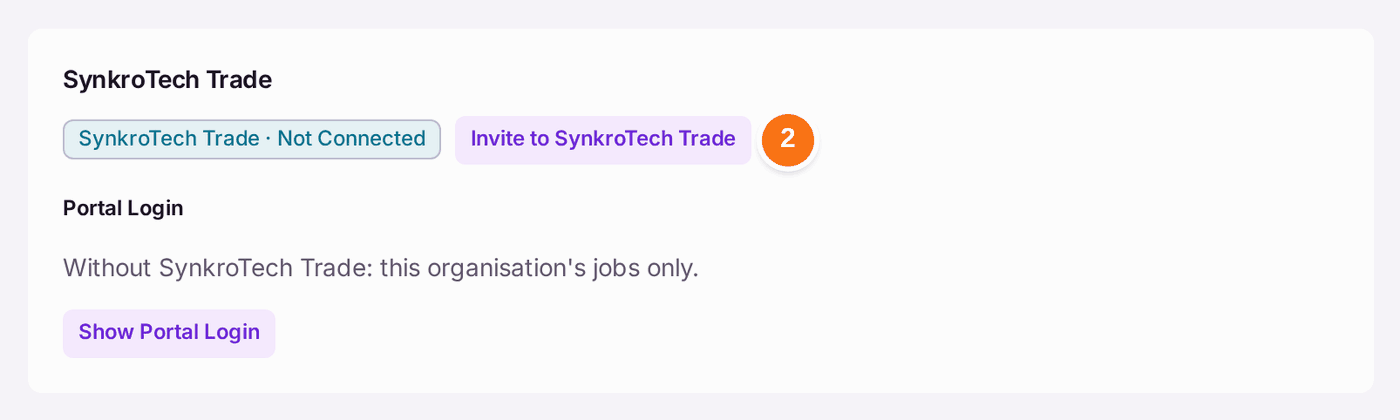
You'll know it worked when: the firm's activity reads "[firm] was invited to SynkroTech Trade …". A firm that already had an account reads SynkroTech Trade · Waiting on Them at once; a firm sent a link reads Not Connected until it has made its account, then Waiting on Them. Once the firm has accepted, the card reads SynkroTech Trade · Connected, it is listed on SynkroTech Trade Connections, and the next work order you raise for it says "Sent to [firm]'s SynkroTech Trade Account, under Jobs": the firm sees it under Jobs on its account, accepts it, marks it attended and completed, and sends its invoice from it (see A contractor's first sign-in to SynkroTech Trade). Accepting links the firm's account to your contractor record and to nothing else of yours.
If something's wrong:
- The link has run out, or was used by someone else. Press Invite to SynkroTech Trade again for a new link.
- "[firm] has already been invited and has not answered yet." Your invitation is waiting in their account. Ask them to accept it under Agencies.
- The email address is wrong. The link works only for the address shown. Press Edit Details on the firm, correct the email, then invite again.
- A suspended firm cannot be invited. Put it back on the panel first by setting its status to Active.
- The firm will not use SynkroTech Trade. Under Portal Login in the same card, press Show Portal Login, then Create Portal Login, to give the firm a sign-in to your organisation's jobs only. It is not a SynkroTech Trade account. This card is the only place a contractor's portal login is made: Portal Logins → Grant Access does not offer Contractor. A contractor login made there before keeps working, and is still listed and managed on Portal Logins.