


Setting a property's service charge year end
What you'll end up with: each property's service charge year end (the day and month its service charge year finishes, as the lease states it) on record, with the country whose legal wording its demands carry.
Before you start you need: each lease's year end. If you took a property over from another agent, the date its money became yours (the conversion date).
Set the year end first, because every budget year, demand period, Section 20B clock and accounts deadline in SynkroTech counts forward from it. A budget cannot be approved for a property with no year end.
For all your properties at once:
- Press Settings in the menu on the left. The Setup Checklist opens.
- Press Start (or Review) on Add Year Ends. The Year Ends page opens, with properties that have no year end listed first, reading Not Set.
- Choose the Day on a property's row.
- Choose the Month.
- Press Save on that row. A message says, for example, "Ashcombe House: year ends 24 March".
- Repeat for each property. The line under the heading counts what is left, until it reads "all set".
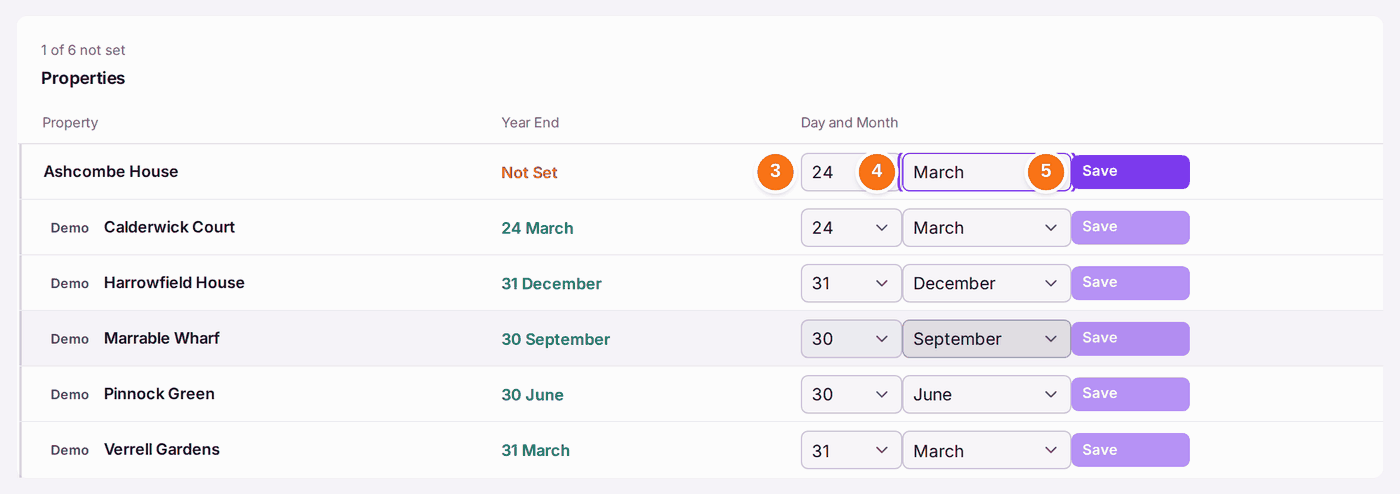
For one property, with its other dates:
- Open the property. On its Overview, find Financial Year.
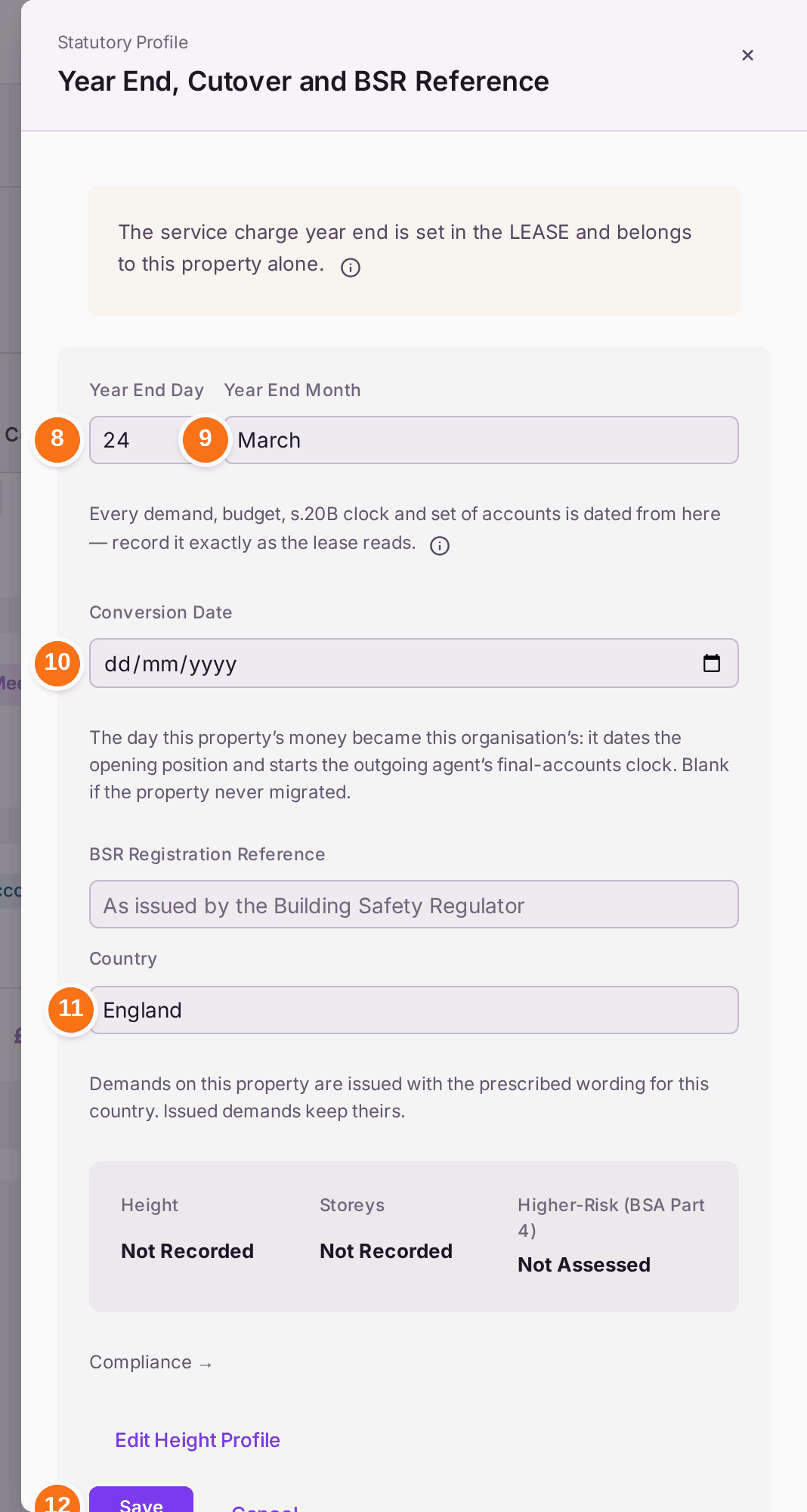
- Press Set Service Charge Year End (it reads Edit Service Charge Year End once one is set). The Statutory Profile panel opens.
- Type the Year End Day, then choose the Year End Month. It is the same date the Year Ends page shows.
- If you took the property over, check the Conversion Date. With none recorded yet, it is offered as the property's Contract Start, marked "From Contract Start · check": change it to the day the property's money became yours, if that was another day. It dates the opening position and starts the outgoing agent's 90 days to send their final accounts. Clear it if the property never moved from another agent.
- Check Country: England or Wales. Demands carry the legal wording for that country.
- Press Save.
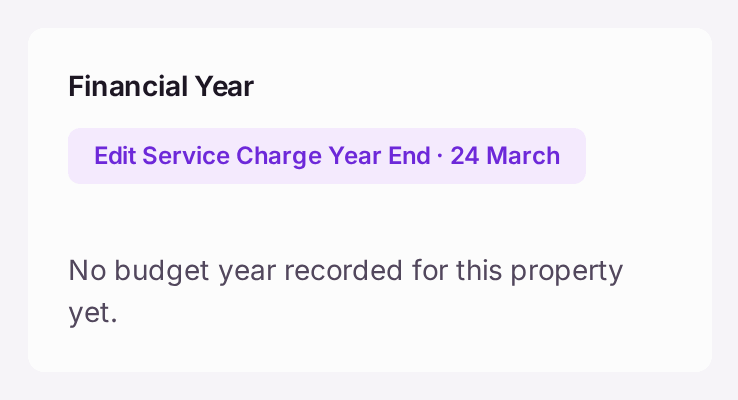
You'll know it worked when: Financial Year on the property's Overview reads Edit Service Charge Year End · 24 March (with your date), and once a budget exists it says where its dates come from: "Year ends 24 March (set on the property)."
If something's wrong:
- Approve Budget is greyed, with "Set the property's year end before approving this budget." The budget also says No Year End. Press Set Year End on the budget, or set it on the Year Ends page, then approve again.
- Save stays greyed on the Year Ends page. The day does not exist in that month, such as 31 February or 31 April. Choose the last real day.
- Next year's budget has the wrong dates. A new budget's dates are proposed from the year end on the property, ending on the year end and never more than twelve months on. Budgets already approved or issued are never moved, so a budget made before the year end was set keeps its own dates.
- The year end in the lease changed. Change it here, then check the next draft budget's dates. Issued demands are not recalculated.