


Seeing what is overdue across every building
What you'll end up with: a clear view, each morning, of which checks and actions are late or coming due across all your buildings, worst first, and who each one is assigned to.
Before you start you need: your properties on SynkroTech with their duties (see Answering the building questions so the right checks appear).
A duty (something the law or the lease requires, such as a fire risk assessment or a gas safety record) left overdue can mean a fine, an invalid insurance claim or a building that is not safe. Looking each day costs a minute; the cost of a missed check falls on the residents and the landlord.
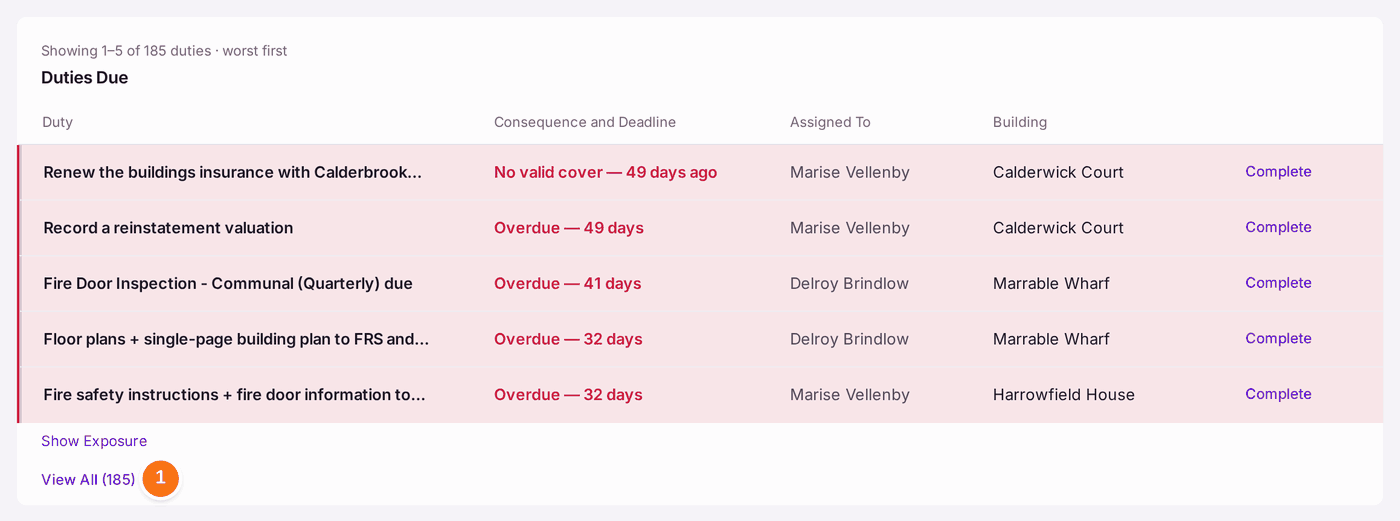
- Open Home. My Work is at the top: press Overdue for everything past its date, duties among it (see Starting the day from My Work). Below it, Duties Due lists the five worst duties, with how late each is and who it is assigned to. Press View All to see every one.
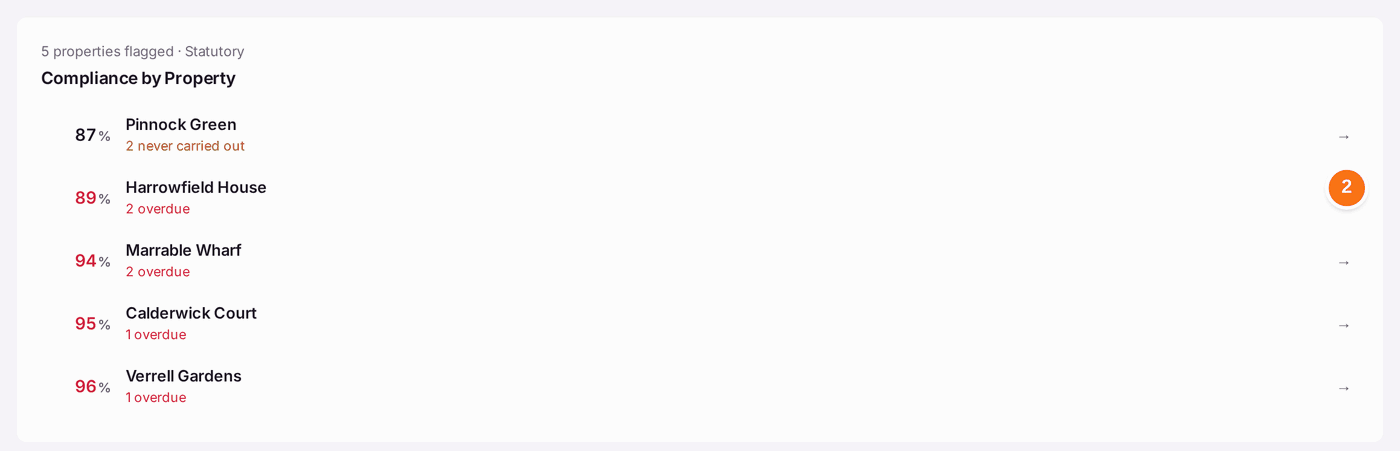
- Compliance by Property shows each property's score and what is wrong. Press a property to see its duties.
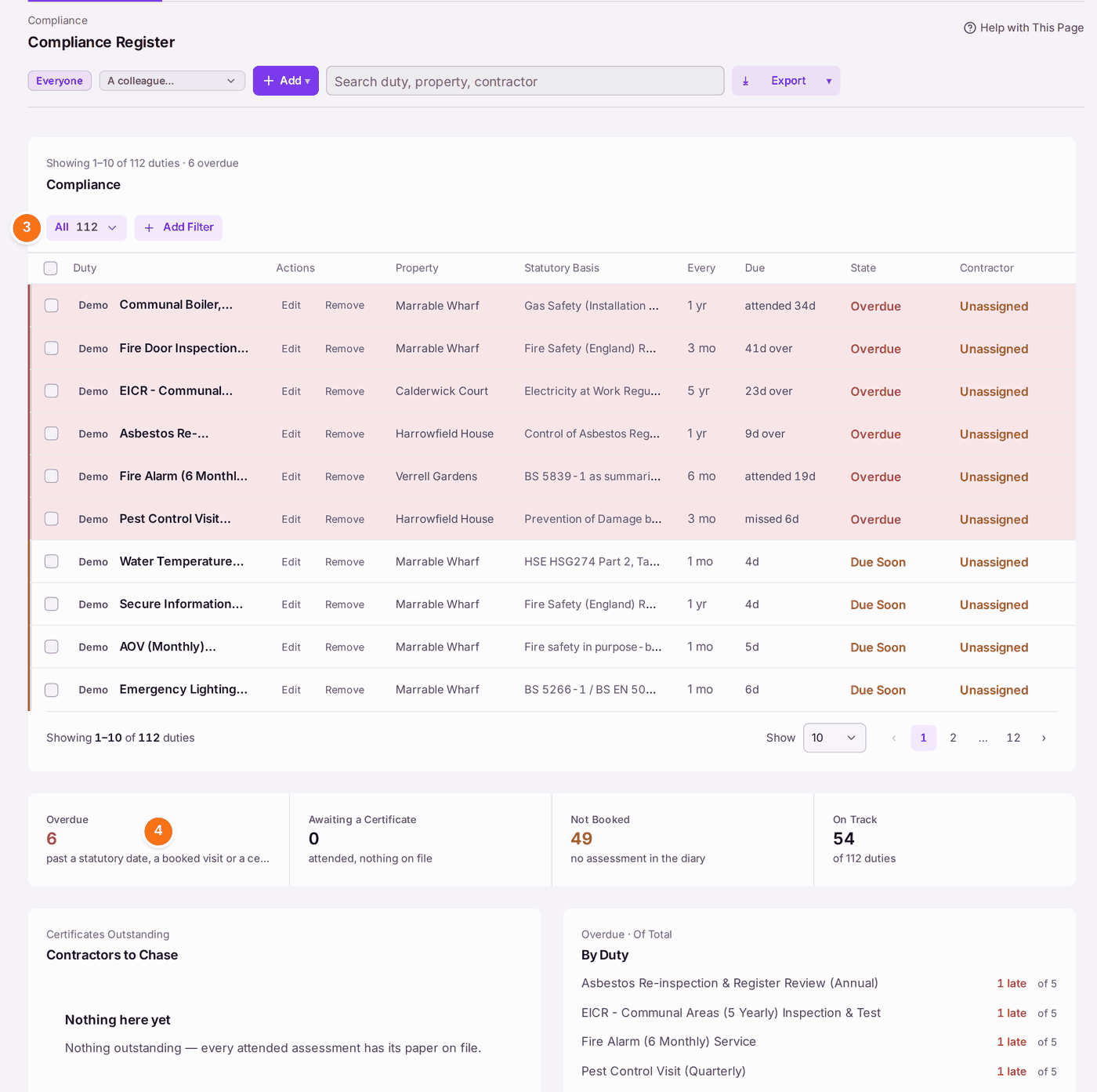
- For the full register, go to Compliance → Compliance Register. Press the view (it starts as All) to narrow it, or Add Filter. Due Soon is a duty due in 30 days or fewer with nothing booked. No Record is a duty with nothing on file at all; it is its own view, never counted in Due Soon.
- The figures under the list count the duties Overdue, Awaiting a Certificate, Not Booked and On Track.
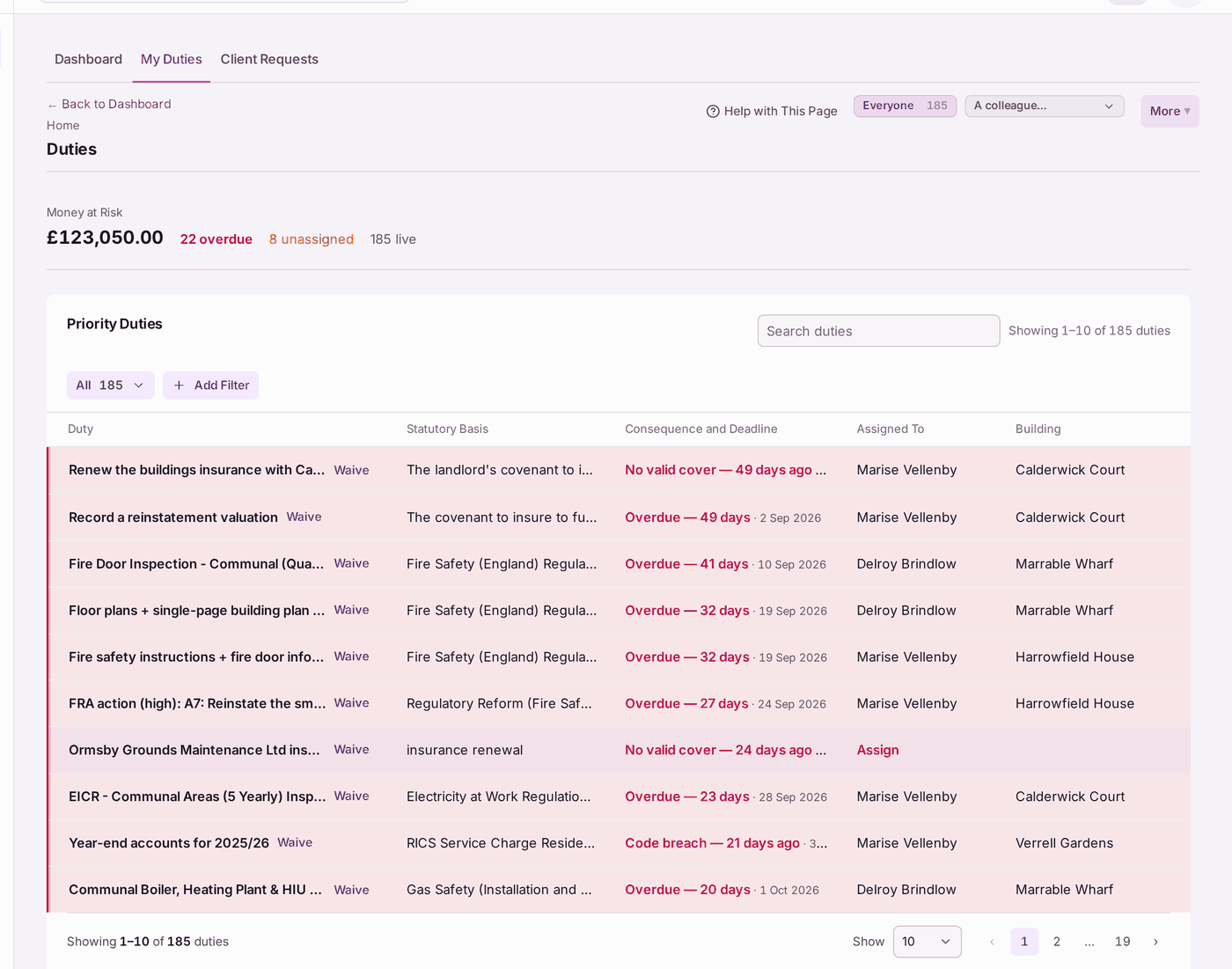
- My Duties (from View All on Home) lists every live duty and action, with its legal basis and the date it fell due. Waive and Assign are beside each.
You'll know it worked when: you can name, for each building, what is overdue and who is dealing with it.
If something's wrong:
- Due Soon on the register is fewer than before. A duty with nothing on file is counted under No Record now, not Due Soon. File its certificate or book it (see Recording that a check was done (filing a certificate)).
- The counts differ between screens. Home and My Duties count every live duty and action, including insurance, fire risk assessment actions and tickets (185 in the example). The Compliance Register counts only the property's own checks (112). Each says what it counts.
- A duty reads Unassigned. Press Assign on My Duties, or open the duty and choose who it is assigned to.
- A check you know was done shows as overdue. The certificate has not been filed. File it (see Recording that a check was done (filing a certificate)).
- A duty does not apply to the building. Waive it, with a reason (see Waiving a duty that does not apply).
- You want only your own buildings. Use A colleague… to choose whose portfolio to see, or Everyone for all.